What is RAG? Making AI Smarter with Your Own Data

- Published on
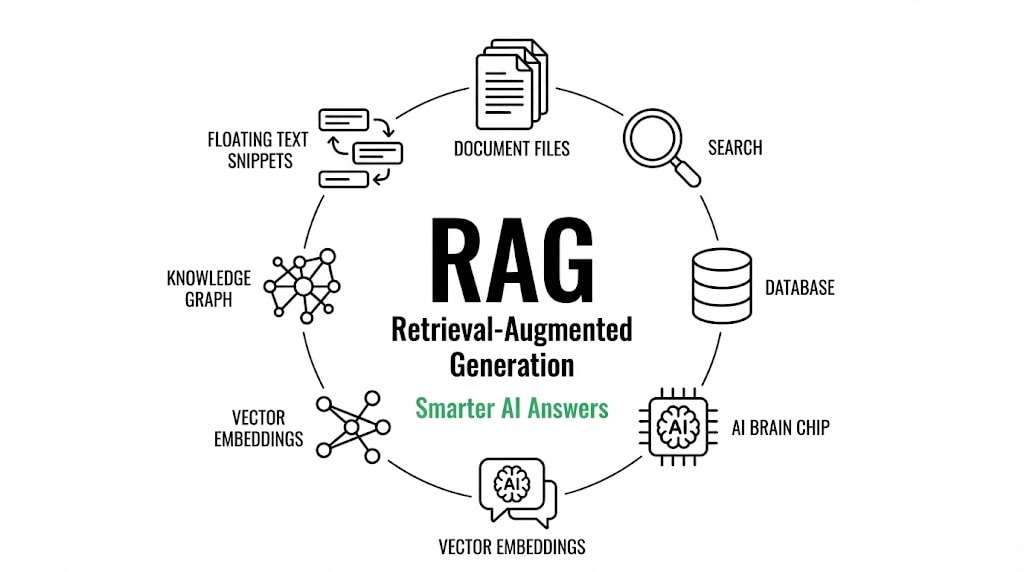
Ever asked an AI a question and got a confident but completely wrong answer? That's because AI models can only use what they learned during training. RAG fixes that.
The Problem: AI Doesn't Know Everything
AI models like Claude are impressive, but they have a big limitation: their knowledge stops at a certain date. Ask about your company's internal docs, your private codebase, or last week's news, and you'll get either "I don't know" or worse—a hallucinated answer that sounds right but isn't.
It's like having a brilliant colleague who's been on vacation since their training ended. Smart, but not up to date.
What is RAG?
RAG stands for Retrieval-Augmented Generation. The name sounds complicated, but the idea is simple: before the AI generates an answer, it first retrieves relevant information from an external source.
Think of it this way:
- Without RAG: AI answers based only on what it memorized during training
- With RAG: AI first searches for relevant documents, then answers using that fresh context
It's the difference between answering from memory and answering with a reference book open in front of you.
How Does RAG Work?
RAG has three main steps:
1. Indexing (The Preparation)
Before anything else, you need to prepare your data. Documents are split into chunks and converted into "embeddings"—numerical representations that capture meaning. These embeddings are stored in a vector database for fast searching.
2. Retrieval (The Search)
When a user asks a question, the system converts that question into an embedding too. Then it searches the vector database for chunks that are semantically similar to the question. Not just keyword matching—actual meaning matching.
3. Generation (The Answer)
The retrieved chunks are added to the AI's prompt as context. Now the AI can generate an answer using both its training knowledge AND the relevant documents you provided.
User Question → Search Vector DB → Get Relevant Chunks → Add to Prompt → AI Generates Answer
Simple in concept. Powerful in practice.
Why RAG Matters
1. Up-to-date Information
Training an AI model takes months and millions of dollars. With RAG, you can add new information in minutes just by updating your document database.
2. Domain-Specific Knowledge
Want your AI to know about your company's products, policies, or codebase? With RAG, you feed it your documents and it becomes an expert in YOUR domain.
3. Reduced Hallucinations
When AI has access to actual source documents, it's less likely to make things up. It can cite its sources, and you can verify the answers.
4. Privacy and Control
Your sensitive documents stay in your own database. The AI doesn't need to be retrained on them—it just reads them when needed.
RAG vs. Fine-Tuning
You might wonder: why not just train the AI on my data?
| Aspect | RAG | Fine-Tuning |
|---|---|---|
| Update data | Minutes | Days/Weeks |
| Cost | Low | High |
| Data privacy | Data stays local | Data used in training |
| Best for | Facts, documentation | Style, behavior |
RAG is for when you need the AI to know specific facts. Fine-tuning is for when you need the AI to behave differently. Most applications benefit from RAG because it's faster, cheaper, and easier to maintain.
RAG in the Real World
You've probably used RAG without knowing it:
- ChatGPT with browsing: Searches the web before answering
- GitHub Copilot: Retrieves code from your codebase for context
- Customer support bots: Pull answers from knowledge bases
And if you've been following my articles, you already know about MCP (Model Context Protocol)—the standard for connecting AI to external tools and data. Many MCP servers are essentially RAG systems. Context7, for example, retrieves documentation and feeds it to your AI. That's RAG in action.
Building a Simple RAG System
Let's sketch out what a basic RAG implementation looks like:
1. Choose Your Documents
What knowledge do you want the AI to have? PDFs, markdown files, database records, API responses—RAG can work with anything that can be converted to text.
2. Split and Embed
Break documents into chunks (usually 500-1000 tokens each) and generate embeddings using a model like OpenAI's text-embedding-3-small or open-source alternatives.
3. Store in a Vector Database
Popular options include:
- Pinecone: Managed, easy to start
- Weaviate: Open-source, feature-rich
- Chroma: Lightweight, great for prototypes
- pgvector: PostgreSQL extension if you already use Postgres
4. Query and Generate
When a user asks something:
# Pseudocode
question_embedding = embed(user_question)
relevant_chunks = vector_db.search(question_embedding, top_k=5)
context = "\n".join(relevant_chunks)
prompt = f"Context: {context}\n\nQuestion: {user_question}"
answer = llm.generate(prompt)
The retrieved context gives the AI exactly the information it needs to answer accurately.
Common Pitfalls
Chunking Too Large or Too Small
Too large and you waste context space with irrelevant text. Too small and you lose important context. Experiment to find what works for your data.
Ignoring Chunk Overlap
If you split a document right in the middle of an important paragraph, both chunks become less useful. Add some overlap between chunks.
Retrieving Too Many or Too Few Chunks
More chunks means more context but also more noise. Usually 3-5 chunks is a good starting point.
Not Testing with Real Questions
Your RAG system is only as good as its retrieval. Test with questions your users actually ask, not just the ones you think they'll ask.
Conclusion
RAG is one of those technologies that seems obvious once you understand it. Instead of hoping the AI memorized the right information, you just give it the documents it needs.
It's the reason why AI assistants can now search the web, read your codebase, and answer questions about your company's documentation. The AI's training data becomes a starting point, not a limitation.
Whether you're building AI applications or just using tools like Claude Code with MCP servers, understanding RAG helps you make the most of what's possible today.
Want to see RAG in action? Try Context7—it's a perfect example of RAG making AI more useful for developers.